
Best Work from Home Tools to Stay Productive and Organized
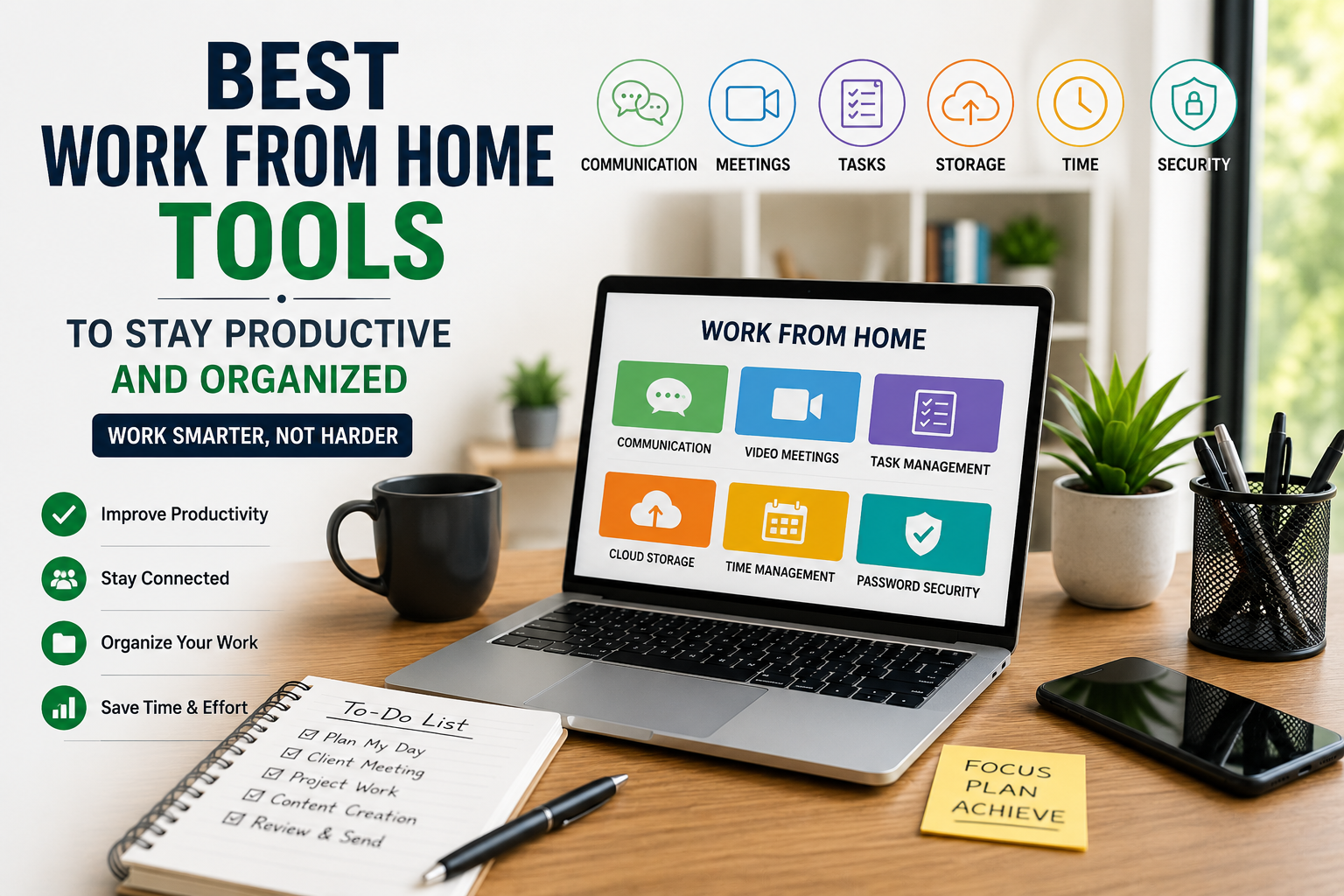
work from home tools has become a normal part of modern business, freelancing, online learning, and digital entrepreneurship. Many people now manage meetings, client work, documents, projects, content, and communication without sitting in a traditional office. But working from home can also become difficult if you do not have the right tools to stay organized.
The best work from home tools help you manage your time, communicate clearly, store files safely, track tasks, attend meetings, and complete daily work with less confusion. Whether you are a freelancer, student, remote employee, small business owner, or online entrepreneur, the right tools can make your workday smoother and more productive.
In this guide, we will discuss important types of work from home tools, how they help, and what beginners should look for before choosing them.
Why Work from Home Tools Are Important
Working from home gives flexibility, but it also requires discipline. In an office, communication, files, schedules, and meetings are often managed through a fixed system. At home, you need digital tools to create that same structure.
Without proper tools, simple tasks can become confusing. You may forget deadlines, lose files, miss messages, or waste time switching between platforms. This is why productivity tools are not just optional; they are part of a professional work setup.
Good tools help you create a system. You can plan your day, share files with others, track project progress, communicate with clients, and manage your workload more easily. For beginners, even a few simple tools can make a big difference.
1. Communication Tools
Clear communication is one of the most important parts of working from home. When you are not sitting with your team or client, messages, calls, and updates become the main way to stay connected.
Communication tools help you send quick messages, create team channels, discuss projects, and reduce email overload. They are useful for freelancers, remote teams, virtual assistants, agencies, and online business owners.
Common communication features include direct messages, group chats, file sharing, notifications, and searchable conversations. Instead of mixing everything in personal messaging apps, it is better to use a professional tool where work conversations stay organized.
When choosing a communication tool, look for simplicity, mobile access, file sharing, and easy search options. A beginner should choose a tool that is easy for both team members and clients to use.
2. Video Meeting Tools
Video meeting tools are essential for remote work. They help people attend client calls, team meetings, interviews, training sessions, webinars, and online classes from anywhere.
A good video meeting tool should offer stable call quality, screen sharing, meeting links, calendar integration, and recording options if needed. Screen sharing is especially useful when explaining designs, reports, websites, documents, or project updates.
For small businesses and freelancers, video meetings help build trust with clients. A quick video call can solve issues faster than long email conversations. It also makes remote work feel more personal and professional.
Beginners should keep meetings short and organized. Before a call, prepare the main points, files, and questions. This saves time and makes the meeting more useful.
3. Task Management Tools
Task management tools help you organize your work in one place. Instead of keeping tasks in your mind or scattered notes, you can create task lists, deadlines, project boards, and progress updates.
These tools are useful for content planning, client work, business tasks, study schedules, and personal productivity. You can divide a big project into small tasks and complete them step by step.
For example, if you are starting an online business, your task list may include keyword research, website setup, content writing, social media planning, and email setup. A task management tool helps you see what is done, what is pending, and what needs attention next.
Beginners should not make the system too complicated. Start with simple columns like “To Do,” “In Progress,” and “Done.” This keeps your work clear and easy to manage.
4. Cloud Storage Tools
Cloud storage tools allow you to save files online and access them from different devices. This is very useful when working from home because your documents, images, videos, reports, and project files stay available even if you are using another laptop or phone.
Cloud storage also helps with file sharing. Instead of sending large files again and again, you can share a link with your client or team. Many cloud storage tools also allow real-time collaboration, which means multiple people can work on the same document.
For online workers, cloud storage is important for safety. If your device gets damaged or files are deleted accidentally, cloud backup can help protect your work.
When choosing a cloud storage tool, check storage space, sharing options, security, device sync, and ease of use.
5. Note-Taking Tools
Ideas, meeting notes, content plans, client instructions, and daily reminders need a proper place. Note-taking tools help you collect and organize information so you do not forget important details.
A good note-taking tool can be used for quick thoughts, research notes, blog ideas, checklists, meeting summaries, and learning material. It is especially useful for bloggers, students, content creators, virtual assistants, and business owners.
The best approach is to create separate folders or pages for different topics. For example, one section for business ideas, one for client notes, one for content topics, and one for daily tasks.
Beginners should develop the habit of writing important points immediately. This simple habit can save time and reduce stress.
6. Time Management Tools
One of the biggest challenges of working from home is managing time. At home, distractions are common. You may start late, take longer breaks, or spend too much time on low-priority tasks.
Time management tools help you plan your day, track working hours, set reminders, and understand where your time is going. Some people use calendar tools, while others use time tracking apps or simple timers.
A calendar tool is useful for meetings, deadlines, content schedules, and reminders. Time tracking tools are useful for freelancers who charge clients by the hour or want to measure productivity.
Beginners can start with a simple daily schedule. Decide your working hours, break times, and priority tasks. The tool is helpful, but your routine matters more.
7. Password Management Tools
Remote workers often use many online accounts, including email, cloud storage, websites, social media, banking, project tools, and client platforms. Using weak or repeated passwords can create security risks.
Password management tools help you store and manage passwords safely. They can also generate strong passwords and reduce the need to remember every login detail.
This is important for freelancers and small business owners because one hacked account can create serious problems. If you manage client accounts, security becomes even more important.
Beginners should avoid saving passwords in random notes or sharing them through unprotected messages. A secure password system is a small step that can protect your work and business.
8. Writing and Editing Tools
Writing tools are helpful for emails, blog posts, captions, reports, proposals, product descriptions, and client communication. They can help improve grammar, clarity, structure, and readability.
For people working from home, written communication is very important. A clear email or proposal can make you look more professional. Poor writing can create confusion and reduce trust.
Writing and editing tools are useful, but they should not replace your own thinking. Always review the final content yourself and make sure it sounds natural, accurate, and suitable for your audience.
Beginners can use these tools to improve drafts, correct mistakes, and write faster.
9. Design and Content Creation Tools
Many online workers need basic design skills, even if they are not professional designers. You may need social media posts, blog images, presentations, banners, thumbnails, or simple business graphics.
Design tools make it easier to create professional-looking visuals without advanced design experience. Templates, drag-and-drop features, stock elements, and brand kits can save a lot of time.
These tools are useful for bloggers, small business owners, social media managers, coaches, online sellers, and content creators. Good visuals can make your content more attractive and easier to understand.
Beginners should keep designs clean and simple. Avoid using too many fonts, colors, or elements. A professional design is often simple, clear, and easy to read.
10. Project Collaboration Tools
If you work with a team, clients, writers, designers, developers, or assistants, collaboration tools become very useful. These tools help multiple people work together on tasks, files, deadlines, comments, and updates.
Instead of sending repeated messages asking for progress, a collaboration tool allows everyone to see project status. This reduces confusion and improves accountability.
For example, a content team can use collaboration tools to manage topics, drafts, editing, images, publishing dates, and final approvals. A small business can use them to manage sales tasks, customer support, marketing plans, and admin work.
Beginners should choose a collaboration tool only when needed. If you are working alone, a simple task list may be enough.
How to Choose the Right Work from Home Tools
There are many tools available, but beginners should not try to use everything at once. Too many tools can create confusion instead of productivity Trello task management.
Before choosing a tool, ask yourself:
- What problem do I want to solve?
- Is this tool easy to use?
- Does it work on mobile and desktop?
- Is the free version enough for now?
- Can I share work with clients or team members?
- Does it save time or create more work?
Start with basic tools for communication, file storage, task management, and calendar planning. Once your work grows, you can add more advanced tools.
Simple Work from Home Tool Setup for Beginners
If you are just starting, you do not need a complicated setup. A simple beginner system can include:
- One tool for email and communication
- One calendar for meetings and deadlines
- One task management tool for daily work
- One cloud storage tool for files
- One note-taking tool for ideas and research
- One design tool for basic visuals
- One password manager for security
This setup is enough for most freelancers, students, remote workers, and small business owners.
Common Mistakes to Avoid
One common mistake is using too many tools without a clear purpose. Every tool should solve a specific problem. If it does not save time or improve work, you may not need it.
Another mistake is not organizing files properly. Cloud storage is helpful only when files are named clearly and stored in the right folders.
Beginners also forget to set boundaries. Work from home tools can keep you connected all the time, but that does not mean you should work all day. Use tools to manage work better, not to stay stressed.
Final Thoughts
Working from home can be productive, flexible, and professional when you have the right system. The best work from home tools help you communicate, plan tasks, manage files, attend meetings, create content, protect passwords, and stay focused.
You do not need every tool available online. Start with a few simple tools that match your work needs. As your workload grows, you can improve your setup and add more advanced options.
Whether you are a freelancer, student, remote employee, or online business owner, the right tools can help you stay organized and work with more confidence from home.
FAQs
What are work from home tools?
Work from home tools are digital platforms or apps that help people manage communication, meetings, files, tasks, time, security, and productivity while working remotely.
Which tools are most important for working from home?
The most important tools are communication tools, video meeting tools, cloud storage, task management tools, calendar apps, note-taking tools, and password managers.
Are free work from home tools enough for beginners?
Yes, many free tools are enough for beginners. You can start with free versions and upgrade later when your work or team grows.
How can I stay productive while working from home?
You can stay productive by planning your day, using a task list, setting deadlines, keeping files organized, reducing distractions, and using tools that support your workflow.
Do freelancers need work from home tools?
Yes, freelancers need work from home tools to manage clients, deadlines, files, communication, invoices, proposals, and project updates professionally.
Can work from home tools help small businesses?
Yes, small businesses can use these tools to manage teams, customer communication, projects, documents, marketing tasks, and daily operations more efficiently.







2 thoughts on “Best Work from Home Tools to Stay Productive and Organized”