
Best Software Tools for Small Business Owners
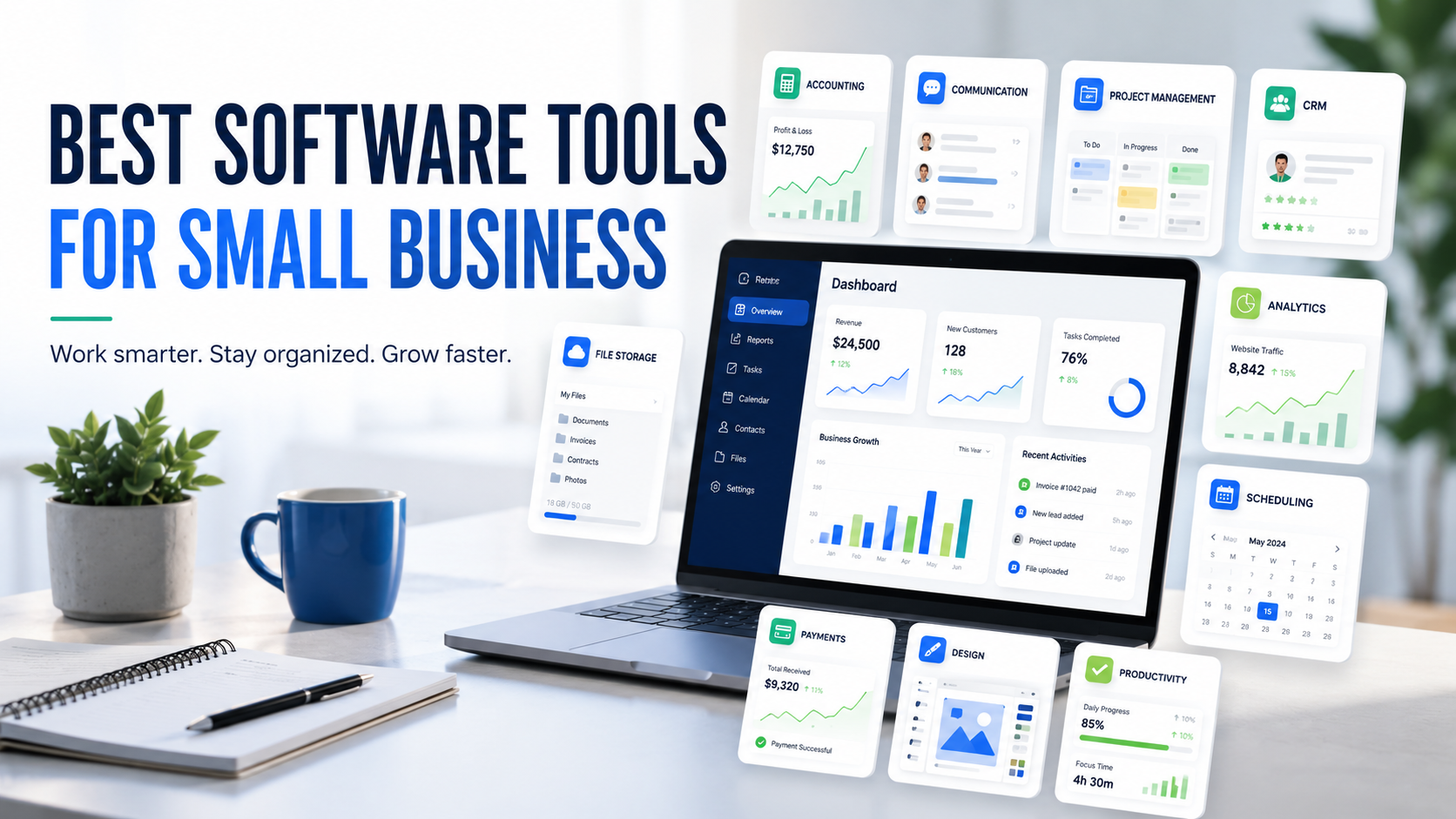
Running a small business requires more than a good idea. Business owners need to manage customers, payments, projects, documents, communication, marketing, sales, and daily tasks. When everything is handled manually, work can become slow, confusing, and stressful.
This is where software tools for small business can help. The right tools make daily operations easier by organizing important tasks in one place. They can help you save time, reduce mistakes, improve customer service, and make your business look more professional online business ideas for beginners.
The good news is that small business owners do not need expensive software from the beginning. Many tools are simple, affordable, and beginner-friendly. You can start with basic tools and upgrade later as your business grows.
Why Small Businesses Need Software Tools
Small businesses often have limited staff and budget. In many cases, one person handles sales, customer support, marketing, invoicing, planning, and operations. Without a proper system, it becomes difficult to manage everything consistently.
Software tools help small businesses create structure. Instead of keeping customer details in random notes, tasks in your memory, and invoices in different folders, you can use tools to organize everything properly.
Another benefit is speed. A tool can help you create invoices faster, schedule posts, track tasks, manage files, or respond to customers more efficiently. This gives business owners more time to focus on growth.
Software tools also improve professionalism. Customers trust businesses that communicate clearly, send proper invoices, manage bookings smoothly, and deliver work on time.
1. Accounting and Invoicing Software
Accounting is one of the most important parts of running a business. If you do not track income and expenses properly, it becomes difficult to understand profit, loss, cash flow, and tax responsibilities.
Accounting and invoicing software helps you record sales, create invoices, track payments, manage expenses, and organize financial data. This is useful for freelancers, consultants, online sellers, local service providers, and small agencies.
A proper invoicing system also makes your business look professional. Instead of sending casual payment messages, you can send a clean invoice with service details, due date, and payment instructions.
Beginners should start tracking money from day one. Even small expenses should be recorded because they affect real profit.
2. Communication Software
Good communication is necessary for every business. Whether you talk to customers, suppliers, freelancers, employees, or business partners, your messages should be clear and easy to manage.
Communication software helps you manage emails, team chats, meetings, and customer conversations. It reduces confusion and keeps important discussions organized.
For small businesses, communication tools are especially useful when team members work remotely or when customers contact you through different channels.
A good communication tool should be easy to use, searchable, and accessible on both mobile and desktop. Beginners should also keep business communication separate from personal chats when possible.
3. Project Management Software
Project management software helps you organize work, deadlines, tasks, and progress. It is useful for small teams, freelancers, agencies, content creators, developers, service businesses, and online entrepreneurs.
For example, if you are managing a website project, social media calendar, product launch, or client work, project management software can help you divide the project into smaller tasks.
You can create task boards, add deadlines, assign responsibilities, attach files, and track completed work. This keeps the business organized and helps avoid missed deadlines.
Beginners can start with a simple setup using three columns: To Do, In Progress, and Done. This keeps the system easy and practical.
4. Customer Relationship Management Software
Customer Relationship Management software, also known as CRM software, helps businesses manage leads, customers, follow-ups, and sales conversations.
Many small businesses lose potential customers because they forget to follow up. A CRM system helps you remember who contacted you, what they asked for, and when you should reply again.
CRM software can store customer names, phone numbers, emails, notes, deal status, and previous conversations. This makes your customer communication more organized HubSpot CRM software.
For beginners, a simple CRM or spreadsheet can be enough. The important thing is to avoid losing customer details and to follow up professionally.
5. File Storage and Document Software
Small businesses deal with many files, including invoices, contracts, images, product details, client documents, reports, presentations, and marketing material. If these files are not organized, you may waste time searching for them later.
File storage and document software helps you save files online, access them from different devices, and share them with team members or clients.
Cloud-based storage is especially useful because your files are not limited to one device. If your laptop stops working, you can still access important business files online.
Beginners should create clear folders from the start. For example, you can create folders for clients, invoices, marketing, website content, designs, and business plans.
6. Marketing Software
Marketing software helps small businesses promote products and services more effectively. It can support social media scheduling, email marketing, SEO, content planning, advertising, and customer engagement.
For small businesses, marketing is important because people need to discover your brand before they buy. A good marketing tool can help you stay consistent and reach the right audience.
For example, social media tools can help you plan posts in advance. Email marketing tools can help you send updates and offers. SEO tools can help you find content ideas and keywords.
Beginners should not use too many marketing tools at once. Start with one or two tools that match your main marketing channel.
7. Design Software
Small businesses need visuals for social media posts, website banners, flyers, ads, presentations, thumbnails, brochures, and product images. Design software makes it easier to create professional-looking graphics without advanced design skills.
Many design tools provide templates, icons, photos, and drag-and-drop features. This saves time and helps beginners create attractive content Canva design software.
Good design can improve trust. A business with clean visuals often looks more professional than a business with unclear or messy designs.
Beginners should keep designs simple. Use readable fonts, clear headlines, consistent colors, and enough spacing.
8. Scheduling and Booking Software
Scheduling software helps businesses manage appointments, meetings, bookings, consultations, and reminders. It is useful for coaches, consultants, tutors, salons, cleaning services, agencies, healthcare professionals, and local service providers.
Instead of exchanging multiple messages to find a suitable time, customers can choose from available time slots. This saves time and improves customer experience.
Booking software can also reduce missed appointments by sending reminders. For businesses that depend on appointments, this can make daily work much easier.
Beginners should choose scheduling tools that are simple for customers to use. A complicated booking process can reduce conversions.
9. Payment Software
Payment software helps businesses accept payments from customers. Depending on your country and business type, this may include card payments, bank transfers, mobile payments, online checkout, or payment links.
A smooth payment process improves customer experience. If paying is difficult, customers may delay or cancel the purchase.
Payment tools also help business owners keep better records. You can track completed payments, pending payments, refunds, and transaction history.
Small businesses should always choose secure and trusted payment methods. Payment terms should also be clear before the order or service begins.
10. Analytics Software
Analytics software helps you understand business performance. It can show website traffic, customer behavior, marketing results, sales data, social media performance, and campaign results.
Without analytics, business owners often guess what is working. With analytics, they can make decisions based on real data.
For example, if a blog post brings traffic, you can write more content around that topic. If a social media campaign gets engagement but no sales, you may need a better offer or landing page.
Beginners should start with basic metrics like website visitors, inquiries, sales, customer response, and best-performing content.
11. Productivity Software
Productivity software helps business owners manage time, notes, checklists, routines, and daily priorities. Running a small business can become overwhelming when tasks are not organized properly.
Productivity tools can help you write notes, create to-do lists, set reminders, plan your day, and focus on important work.
The purpose of productivity software is not to make you busy all the time. It helps you work on the right tasks and reduce unnecessary confusion.
Beginners should keep their productivity system simple. A daily task list with three main priorities can be more useful than a complicated setup.
12. Website and SEO Software
A website is important for many small businesses because it gives customers a place to learn about your brand, products, services, prices, and contact details.
Website software helps you create and manage your online presence. SEO software helps you understand keywords, search performance, technical issues, and content opportunities.
Small businesses can use website and SEO tools to improve visibility in search engines. This can help attract visitors without depending only on paid ads.
Beginners should focus on basic SEO first. Make sure your website loads fast, works on mobile, has clear pages, uses helpful content, and includes proper contact information.
How to Choose the Right Software for Your Business
There are many software tools available, but not every tool is right for every business. Choosing too many tools can waste money and create confusion.
Before selecting software, ask yourself:
- What business problem do I need to solve?
- Is this tool easy to use?
- Does it fit my budget?
- Is the free plan enough for now?
- Can it grow with my business?
- Does it work on mobile and desktop?
- Is customer data protected?
- Will it save time or add more work?
A good tool should make your business easier to manage. If a tool feels too complicated, it may not be the right choice for your current stage.
Simple Software Setup for Beginners
If you are just starting, you do not need every tool available online. A simple setup can include:
- One communication tool
- One file storage tool
- One task management tool
- One invoicing or accounting tool
- One design tool
- One scheduling tool
- One analytics tool
- One note-taking or productivity tool
This basic setup is enough for many small businesses. You can add more tools when your business grows and your needs become clearer.
Common Mistakes to Avoid
One common mistake is buying premium software too early. Many beginners pay for expensive tools before they understand their needs. Start with free or affordable options first.
Another mistake is using too many tools for the same purpose. If you use multiple apps for tasks, notes, files, and reminders without a system, it can create more confusion.
Small business owners should also avoid ignoring security. Use strong passwords, enable two-factor authentication where possible, and avoid sharing sensitive information through unsafe channels.
The goal is to build a simple and reliable software system, not a complicated one.
Final Thoughts
Software tools can help small businesses work faster, stay organized, and serve customers better. From accounting and communication to project management, marketing, design, payments, and analytics, the right tools can support daily operations and long-term growth.
However, tools are only useful when they solve real problems. Start with the basics, use them consistently, and upgrade only when your business needs more advanced features DailyViewMag business guides.
The best software tools for small business owners are the ones that save time, reduce stress, improve customer experience, and help the business grow step by step.
FAQs
What are software tools for small business?
Software tools for small business are digital platforms or apps that help owners manage accounting, communication, customers, projects, files, marketing, payments, and productivity.
Which software should small businesses use first?
Small businesses should start with software for communication, file storage, task management, invoicing, design, scheduling, and basic analytics.
Do small businesses need paid software?
Not always. Many small businesses can start with free or low-cost software. Paid plans are useful when the business grows and needs advanced features.
How do software tools help business owners?
Software tools help business owners save time, organize work, track customers, manage money, improve marketing, and reduce manual mistakes.
Is accounting software important for small businesses?
Yes, accounting software is important because it helps track income, expenses, invoices, payments, and financial records.
Can software tools help with business growth?
Yes, software tools can support business growth by improving productivity, customer management, marketing, sales tracking, and decision-making.







One thought on “Best Software Tools for Small Business Owners”