No-Code Automation News 2026: Beginner Guide
No-code automation is becoming one of the most useful technology trends for businesses, freelancers, marketers, agencies, startups, and remote teams. The latest no-code automation news shows that automation is no longer only about simple “if this, then that” workflows. In 2026, no-code automation is moving toward AI-powered workflows, smart agents, better governance, stronger security, and easier tools for non-technical users.
This is important because many businesses want to save time, reduce manual work, and connect their daily tools without hiring a full development team. A few years ago, automation felt technical and complicated. Today, many platforms allow users to build workflows using visual builders, templates, drag-and-drop logic, AI prompts, and ready-made app integrations.
In simple words, no-code automation helps people automate repetitive tasks without writing code. A small business owner can automatically save leads from a form into a spreadsheet. A marketer can send campaign data from one tool to another. A support team can route customer messages to the right person. A freelancer can connect invoices, emails, forms, and project management tools.
This guide explains the latest no-code automation news, why it matters, what changed in 2026, and how beginners can understand this growing trend.
What Is No-Code Automation?
No-code automation means creating automated workflows without traditional programming. Instead of writing code, users connect apps, choose triggers, set actions, and define conditions through a visual interface no-code automation guide.
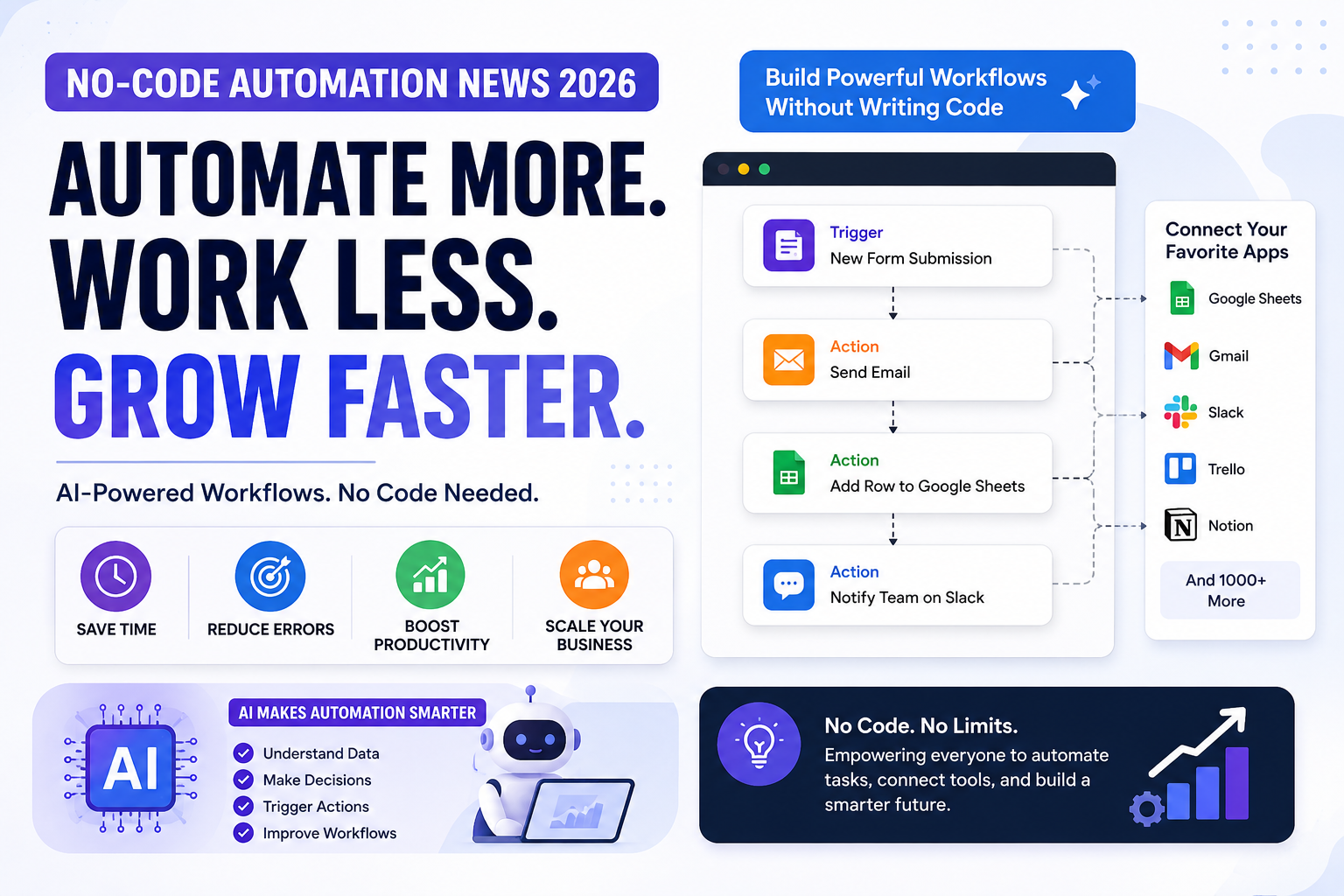
For example, a workflow may look like this:
A customer fills out a form. The automation saves the customer details in Google Sheets, sends a confirmation email, creates a task in a project management tool, and notifies the sales team in Slack or Microsoft Teams.
All of this can happen automatically without a person copying and pasting information manually.
No-code automation is useful because many business tasks are repetitive. Teams spend time moving data, sending reminders, updating records, checking forms, downloading reports, and organizing customer information. Automation helps reduce this manual work.
Why No-Code Automation News Matters in 2026
No-code automation news matters because the industry is changing quickly. Automation tools are becoming smarter, more connected, and more AI-driven. Businesses are no longer using automation only for simple tasks. They are now using it to improve operations, customer support, lead management, reporting, content workflows, and internal communication.
The biggest shift in 2026 is the connection between no-code automation and AI. Older automation tools followed fixed rules. Newer tools can use AI to understand messy inputs, classify information, write responses, summarize data, and decide which workflow should run next online business tools for beginners.
This means automation is moving from basic task handling to smarter workflow support.
For beginners, this is good news. It means you do not need to be a programmer to start learning automation. If you understand business processes and know how tools connect, you can start building useful workflows.
Major No-Code Automation Updates in 2026
The latest updates in no-code automation are focused on AI agents, workflow safety, enterprise controls, visual automation builders, and better app connectivity.
Here is a simple overview Power Automate 2026 release wave:
| Trend | What It Means |
|---|---|
| AI agents | Smart assistants that can decide which workflow action to take |
| Visual workflow builders | Easier drag-and-drop automation creation |
| AI guardrails | Safety checks for sensitive data and risky AI outputs |
| Self-healing automation | Workflows that can adapt when systems change |
| Better governance | More admin control, logs, and permission management |
| Business-user automation | Non-technical teams can automate daily work |
| Agentic workflows | AI plus automation working together for complex tasks |
These trends show that no-code automation is becoming more practical for real business operations.
AI Agents Are Changing Automation
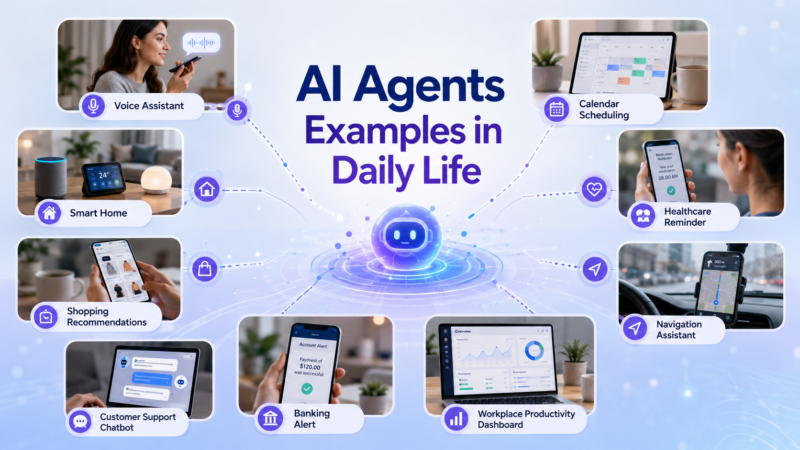
One of the biggest developments in no-code automation news is the rise of AI agents. An AI agent is not just a chatbot. It can understand a task, review information, choose an action, and trigger the right workflow.
For example, a normal automation might say:
If a new support email arrives, create a ticket.
An AI-powered workflow can go further. It may read the email, understand the issue, detect urgency, assign a category, route it to the right team, and draft a response.
This is a major improvement because many real business tasks are not perfectly structured. Emails, customer requests, invoices, form submissions, and chat messages often contain incomplete or messy information. AI agents can help interpret that information before automation runs.
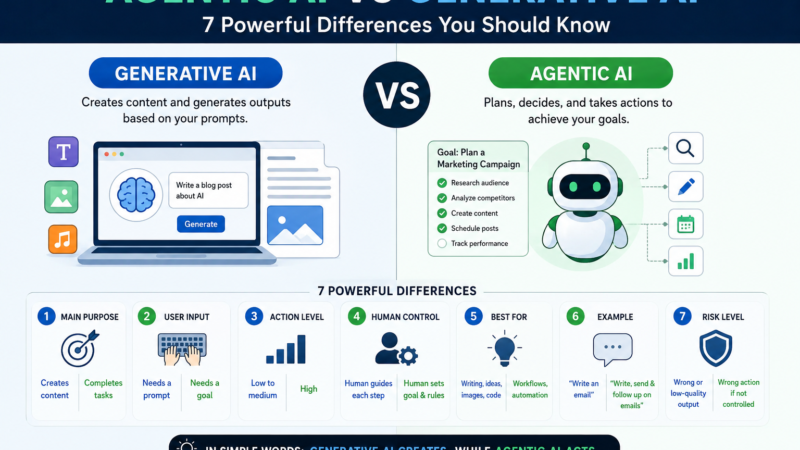
However, AI agents should not replace all automation. The best setup is often a mix: AI helps with judgment, while automation handles the reliable step-by-step process.
No-Code Automation Is Becoming More Business-Friendly
Another important change is that no-code automation tools are becoming easier for business users. In the past, automation was mostly handled by developers, IT teams, or technical operations specialists. Now, marketers, sales teams, HR teams, finance teams, and small business owners can create useful workflows.
This matters because the people who understand the process are often not programmers. A sales manager knows how leads should move. A support manager knows how tickets should be assigned. A marketer knows how campaign data should be organized.
No-code tools allow these people to build or adjust workflows without waiting for a developer every time.
This does not mean technical teams are no longer needed. For complex systems, security, and large-scale operations, technical support is still important. But no-code automation gives everyday teams more control over routine processes.
Examples of No-Code Automation in Daily Business
No-code automation can be used in many practical ways.
A small business can use it to collect leads from a website form and send them to a CRM. A digital marketing agency can automatically create tasks when a client submits a request. An e-commerce store can send order details to inventory sheets and notify the team when stock is low.
A freelancer can use automation to send invoice reminders, collect client feedback, and organize project files. A content team can move blog ideas from a form into a content calendar. A recruiter can save candidate applications and send interview reminders automatically.
These are simple examples, but they show why no-code automation is useful. It does not need to be complicated to save time.
No-Code Automation and Small Businesses
Small businesses can benefit strongly from no-code automation because they often have limited teams and tight budgets. A business owner may handle sales, customer service, marketing, finance, and operations at the same time. Manual work can quickly become overwhelming.
No-code automation helps small businesses create systems without expensive custom software. They can automate lead collection, appointment reminders, customer follow-ups, invoice tracking, review requests, social media workflows, and reporting.
For example, a local cleaning company can automatically send new booking requests to a spreadsheet and notify the manager. A consultant can send onboarding emails automatically after a client fills out a form. A small online store can create internal alerts when high-value orders arrive.
These small automations can save hours every week.
No-Code Automation for Digital Marketing
Digital marketing is one of the best areas for no-code automation. Marketers often work with many tools, including forms, CRMs, email platforms, spreadsheets, analytics tools, ad platforms, social media schedulers, and project management software.
Automation can help connect these tools digital marketing agency guide.
For example:
A lead from a Facebook ad can be sent to a CRM. A new blog idea can be added to a content calendar. A form submission can trigger an email sequence. A campaign report can be updated in a dashboard. A client request can create a task for the design team.
This is why no-code automation is becoming important for marketing agencies and small business marketing teams.
No-Code Automation for Remote Teams
Remote teams also benefit from automation because they rely heavily on digital tools. When team members are not in the same office, clear workflows become more important.
No-code automation can help remote teams send reminders, assign tasks, organize files, update project boards, notify team members, and track approvals.
For example, when a client uploads a document, an automation can notify the assigned team member, create a review task, and update the project status. This reduces confusion and keeps work moving.
Remote teams can use automation to make communication more organized and reduce unnecessary back-and-forth messages.
Security and Governance Are Becoming More Important
As automation becomes more powerful, security becomes more important. A workflow may handle customer data, payment details, emails, files, private documents, and business records. If automation is not managed properly, it can create risk.
This is why new no-code automation updates often include better governance, admin controls, logs, permission settings, and AI safety features.
Business owners should not connect every app without thinking. They should check what data an automation can access, who can edit workflows, where information is stored, and whether sensitive data is protected.
For larger teams, governance is even more important. Admins need to know which workflows are running, who created them, and what systems they affect.
AI Guardrails in Automation
AI guardrails are becoming an important part of automation news. Guardrails help reduce risk when AI is used inside workflows. They can help detect sensitive information, block unsafe outputs, prevent prompt injection attempts, and protect private data.
This matters because AI-powered automation can process messages, documents, customer data, and internal business information. Without guardrails, an automation may accidentally send sensitive details to the wrong place or continue a workflow based on unsafe input.
Beginners should understand that AI automation is powerful, but it needs control. A safe workflow should include checks, approvals, logs, and limits.
No-Code Automation vs Low-Code Automation
No-code and low-code automation are similar, but they are not exactly the same.
No-code automation is designed for users who do not write code. It uses visual builders, templates, and simple logic.
Low-code automation may still use visual tools, but it also allows some coding or technical customization. This is useful for advanced teams that need more control.
For beginners, no-code automation is usually the best starting point. Once you understand workflows, triggers, actions, and conditions, you can later explore low-code tools if needed.
Benefits of No-Code Automation
No-code automation has many benefits.
It saves time by reducing repetitive work. It reduces errors because data does not need to be copied manually. It improves speed because tasks can happen instantly. It makes teams more organized by creating clear workflows.
It also helps businesses scale. When work increases, manual systems often break. Automation helps create repeatable processes that can handle more volume.
Another benefit is accessibility. Non-technical users can build simple automations without waiting for developers. This helps teams solve small problems quickly.
Common Mistakes Beginners Should Avoid
One common mistake is trying to automate everything at once. Beginners should start with one simple repetitive task. For example, automate form submissions before trying to build a full business system.
Another mistake is creating workflows without testing them. Every automation should be tested with sample data before it is used in real work.
A third mistake is ignoring errors. Good automation should include error alerts, logs, and backup steps.
Beginners should also avoid connecting too many apps without understanding permissions. Always check what access each tool needs.
Another mistake is using AI without review. AI can help, but important business decisions should still include human checking.
How to Start With No-Code Automation
The best way to start is to identify a repeated task. Ask yourself:
What do I do every day or every week that feels repetitive?
Then break the task into steps. What starts the process? What information moves? Which tool receives it? Who needs to be notified?
Next, choose a no-code automation tool that connects your apps. Start with a simple workflow. Test it carefully. Then improve it slowly.
A beginner workflow may be:
New form submission → save to Google Sheets → send confirmation email → notify team.
This is simple, useful, and easy to understand.
Once you are comfortable, you can add conditions, filters, AI summaries, approvals, and reports.
Future of No-Code Automation
The future of no-code automation is likely to become more AI-driven, more visual, and more connected. Instead of only building fixed workflows, users will increasingly describe what they want in natural language.
AI may help suggest workflow steps, fix broken automations, classify data, and recommend better processes. Automation platforms may also include stronger security controls, better reporting, and more collaboration features.
For businesses, the future is not just about using more tools. It is about building smarter processes. The companies that benefit most will be the ones that understand their workflows clearly before automating them.
Final Thoughts
No-code automation news in 2026 shows a clear shift from simple task automation to smarter AI-powered workflow systems. Businesses, freelancers, marketers, remote teams, and small business owners can now automate more work without needing advanced coding skills.
The most important trends include AI agents, visual workflow builders, AI guardrails, governance controls, self-healing automation, and agentic workflows. These updates make automation more powerful, but they also require careful planning and responsible use.
For beginners, the best approach is simple: start small, automate one repeated task, test the workflow, review results, and improve slowly. No-code automation is not just a tech trend. It is becoming a practical skill for anyone who wants to work smarter online.
FAQs
What is no-code automation?
No-code automation is the process of creating automated workflows without writing traditional code. Users connect apps, set triggers, choose actions, and build workflows through visual tools.
Why is no-code automation important in 2026?
No-code automation is important in 2026 because AI agents, visual builders, and smarter workflow tools are helping businesses automate more tasks without needing full development teams.
What is the difference between AI agents and automation?
Automation follows fixed rules, while AI agents can understand context and decide which action should happen next. The best workflows often use both together.
Can small businesses use no-code automation?
Yes, small businesses can use no-code automation for leads, emails, invoices, appointment reminders, customer follow-ups, reports, and task management.
Is no-code automation safe?
No-code automation can be safe if businesses manage permissions, protect sensitive data, use trusted tools, test workflows, and apply AI guardrails where needed.
What is the best way to start no-code automation?
Start with one repetitive task, map the steps, choose a tool that connects your apps, build a simple workflow, test it, and improve it gradually.